Aspect ratio vs resolution: what's the difference?
May 5, 2026
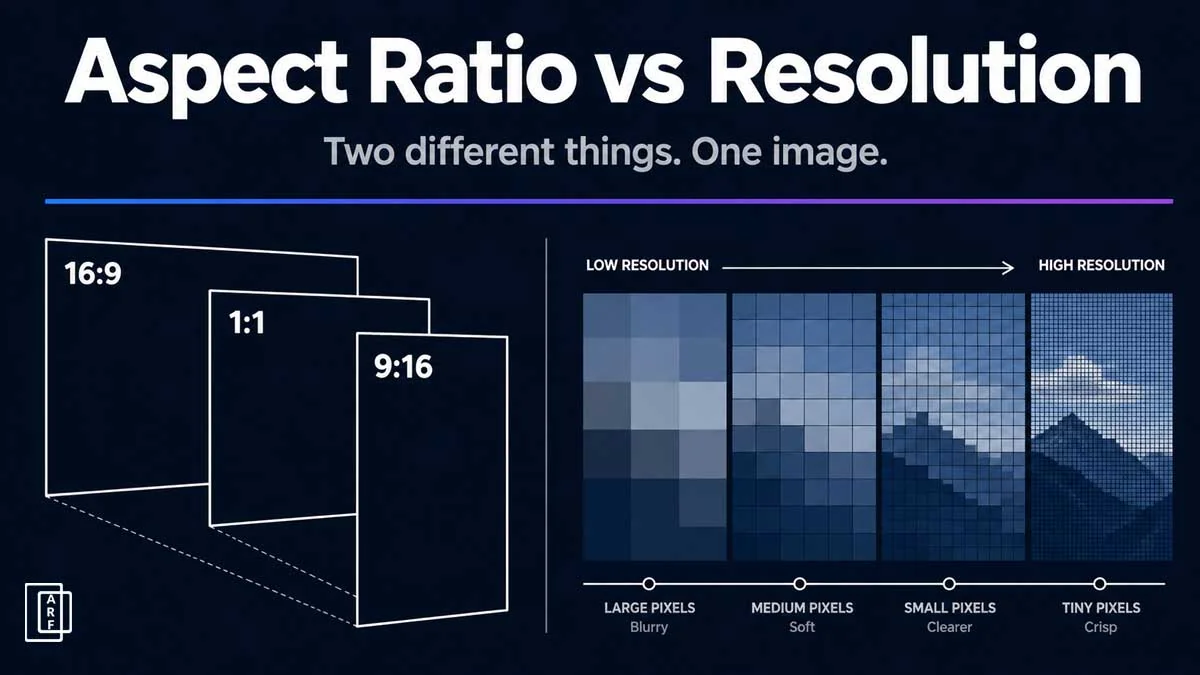
Aspect ratio vs resolution: two separate properties that control how every image and video looks on screen. You upload a video to YouTube and it looks perfect. You post the same file to Instagram Stories and it is cropped, blurry, or boxed in black bars. The file did not change, but the platform expected a different shape and a different level of detail.
Aspect ratio and resolution are not the same thing, and they are not alternatives to each other. They are two separate properties every image and video has at the same time. This article explains what each one means, how they interact, and exactly which combination to use for every major platform and use case.
TL;DR
Aspect ratio is the shape of an image, expressed as a ratio like 16:9 or 4:3. Resolution is the pixel count, such as 1920x1080 or 3840x2160. The two are independent: the same aspect ratio can exist at many different resolutions, and changing aspect ratio by cropping permanently removes pixels. For most video, use 16:9 at 1080p; for TikTok, Reels, and Shorts, use 9:16 at 1080x1920.
What is aspect ratio?
Aspect ratio is the proportional relationship between the width and height of an image, video, or screen. It is always expressed as two numbers separated by a colon, for example, 16:9 or 4:3. The first number is always the width and the second is always the height.
The key point: aspect ratio describes shape, not size. A 16:9 image is always wider than it is tall by the same proportion, whether it is 1280 pixels wide or 3840 pixels wide. The ratio stays constant; only the pixel count changes.
You interact with aspect ratios every day without thinking about it. Your laptop screen is almost certainly 16:9. Portrait photos on your phone use 4:5. A vinyl record sleeve is roughly 1:1. Each of these is a different shape, described by a different ratio.
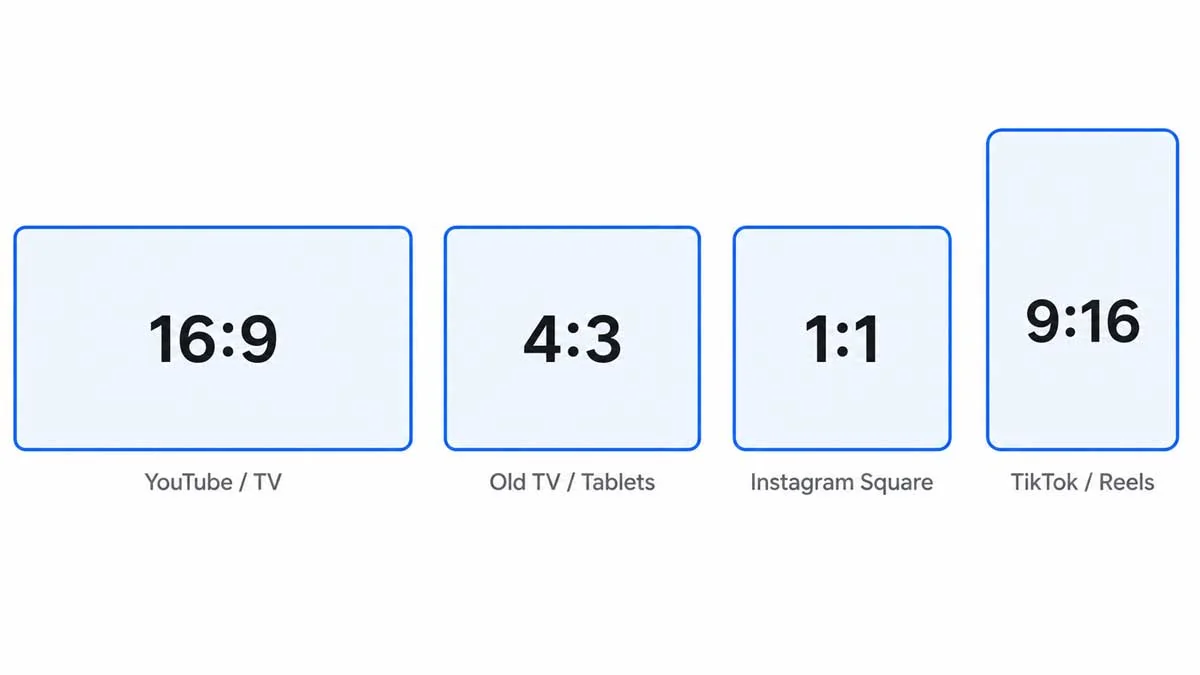
| Aspect Ratio | Typical Use |
|---|---|
| 16:9 | YouTube, Netflix, TV, most monitors |
| 4:3 | Old TV, some tablets, presentation slides |
| 1:1 | Instagram square posts, album artwork |
| 9:16 | TikTok, Instagram Stories, YouTube Shorts |
| 3:2 | DSLR cameras, 35mm film, prints |
You can calculate the aspect ratio of any image by dividing both pixel dimensions by their greatest common divisor. For a 1920x1080 image: the greatest common divisor is 120, so 1920/120 = 16 and 1080/120 = 9. The aspect ratio calculator can do this instantly for any dimensions you enter.
Aspect ratio and resolution are paired properties, not alternatives. Every image has both at the same time. Selecting a platform preset in an aspect ratio calculator gives you the correct shape; the resolution setting in your camera or export tool determines the pixel count within that shape.
What is resolution?
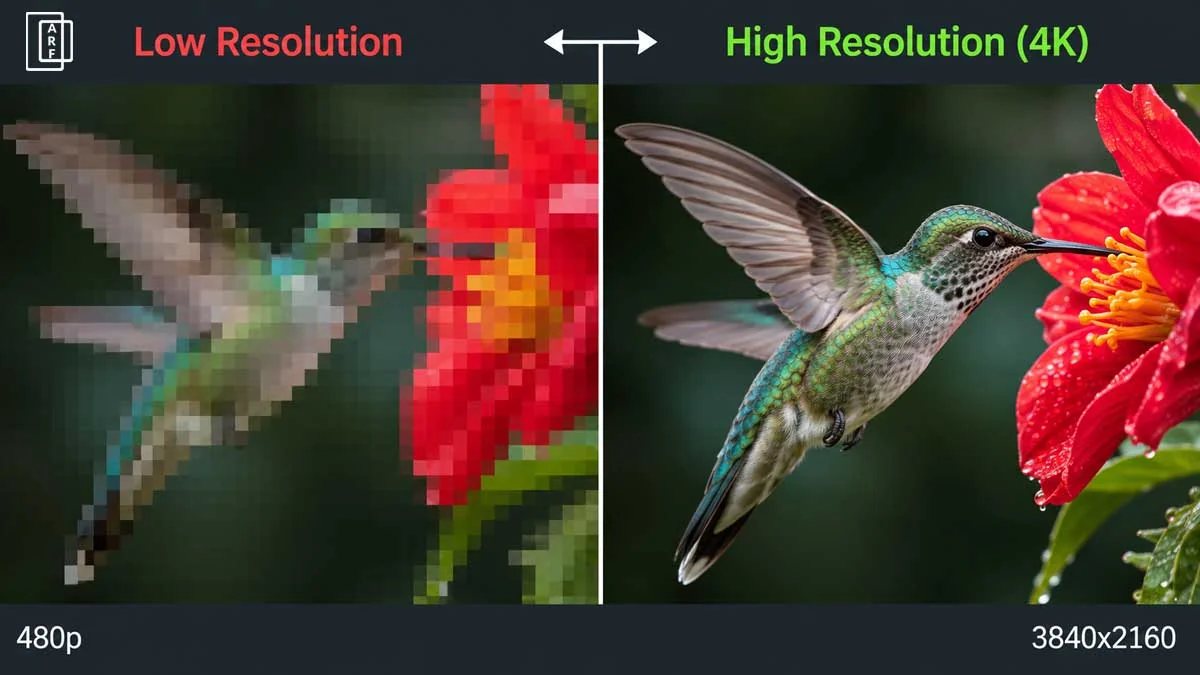
Resolution is the total number of pixels in an image, expressed as width x height. A 1920x1080 image contains 1,920 pixels across and 1,080 pixels down, for a total of 2,073,600 pixels (approximately 2 megapixels). More pixels means more detail, and more flexibility to crop, zoom, or print large.
Resolution determines two things: how much detail is visible and how large you can use the image. A low-resolution image looks sharp on a phone screen but blurry when printed at A3 size. A high-resolution image retains detail at large sizes but requires more storage and processing power.
| Name | Pixels (W x H) | Total Pixels | Aspect Ratio |
|---|---|---|---|
| HD (720p) | 1280 x 720 | 921,600 | 16:9 |
| Full HD (1080p) | 1920 x 1080 | 2,073,600 | 16:9 |
| QHD (1440p) | 2560 x 1440 | 3,686,400 | 16:9 |
| 4K UHD | 3840 x 2160 | 8,294,400 | 16:9 |
| 8K UHD | 7680 x 4320 | 33,177,600 | 16:9 |
Notice that all five resolutions in the table above share the 16:9 aspect ratio. They are the same shape, a wide rectangle, at very different pixel counts.
What is the difference between aspect ratio and resolution?
Aspect ratio describes the shape of an image. Resolution describes the detail. They measure completely different things, which is why the same aspect ratio can exist at many resolutions, and the same resolution can be cropped to different aspect ratios.
Think of it this way: a 16:9 rectangle drawn on a whiteboard and a 16:9 rectangle on a cinema screen are the same shape. But the cinema screen holds far more pixels. Shape (aspect ratio) and pixel count (resolution) are independent.
| Property | Aspect Ratio | Resolution |
|---|---|---|
| What it measures | Shape (width-to-height proportion) | Detail (total pixel count) |
| Example | 16:9, 4:3, 1:1 | 1920x1080, 3840x2160 |
| Affects image quality | No (shape only) | Yes (more pixels = more detail) |
| Affects image shape | Yes | No (unless cropped) |
The most useful way to understand the relationship: aspect ratio is a constraint on shape, and resolution is a measure of content within that shape. When you choose 16:9 for a YouTube video, you are fixing the shape. When you choose 1080p or 4K, you are deciding how much pixel detail fills that fixed shape. These are separate decisions made at separate points in a workflow.
Does aspect ratio affect resolution?
Aspect ratio and resolution are independent properties of a file, but changing one can affect the other depending on how you make the change. There are three scenarios.
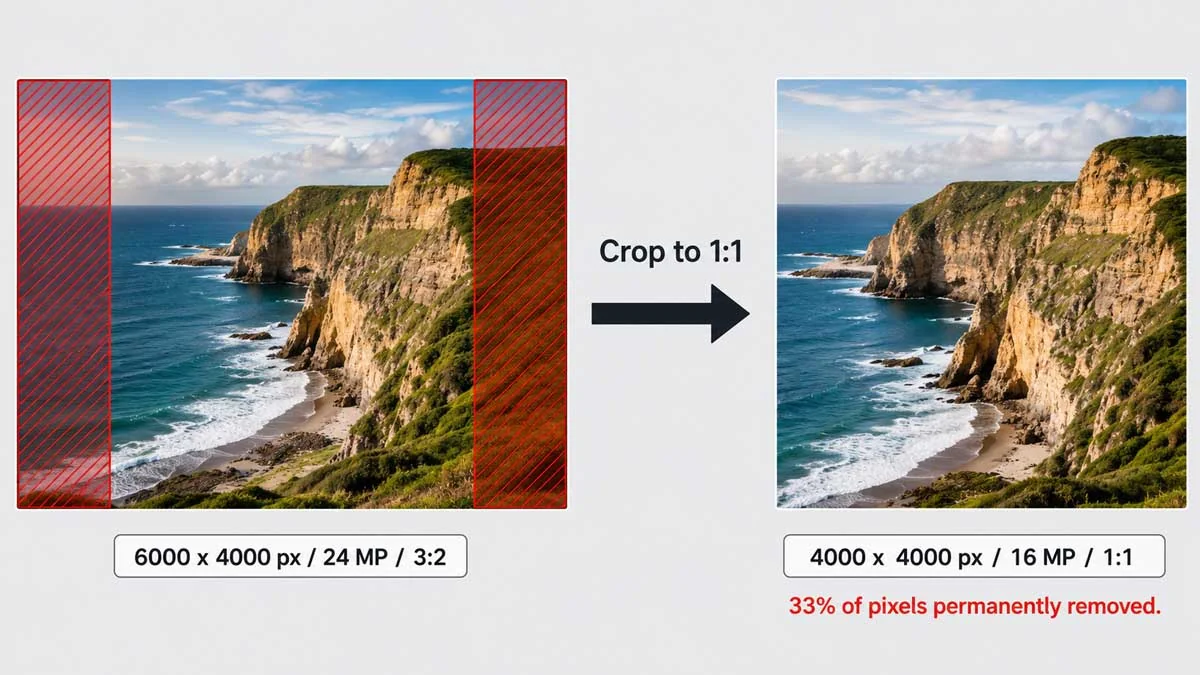
Cropping to a new aspect ratio removes rows or columns of pixels. The total pixel count drops permanently. A 3000x2000 pixel image (3:2) cropped to 1:1 becomes 2000x2000, losing roughly 33% of the original pixels. The crop improved the shape for a particular use case but reduced the resolution.
Stretching to a new aspect ratio changes the shape without removing pixels. The total pixel count stays the same, but the image distorts because pixels are spread unevenly across the new dimensions. This is usually the worst option, visually.
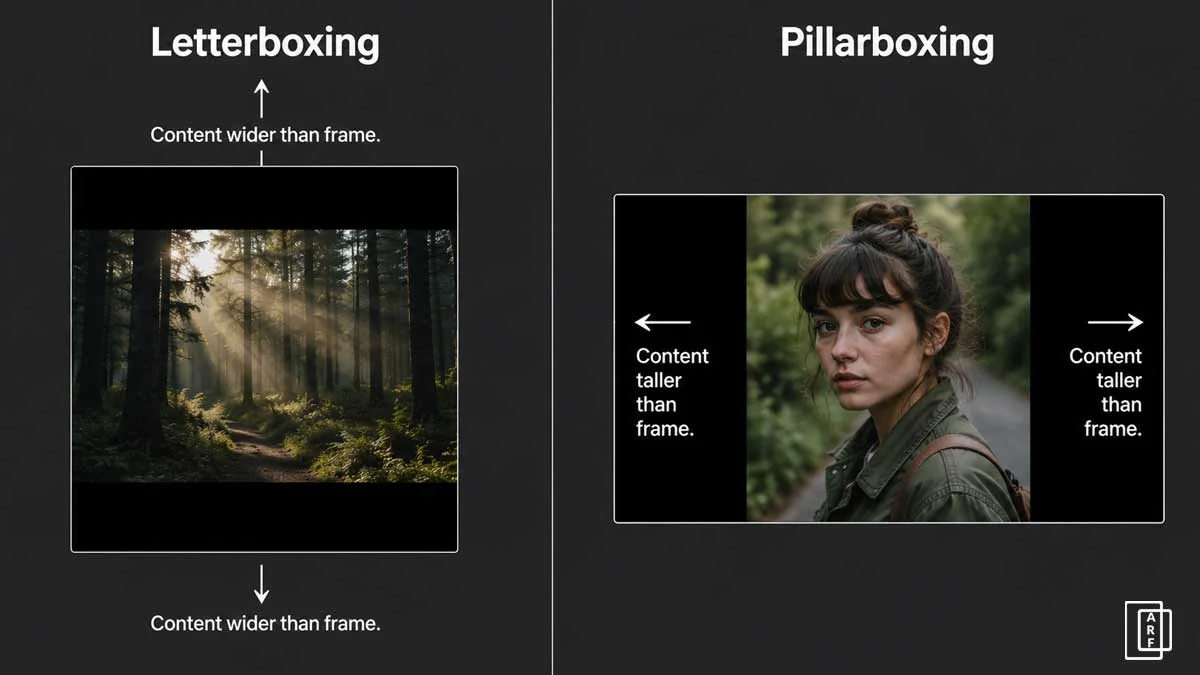
Adding bars (letterboxing or pillarboxing) changes the displayed aspect ratio by adding blank space without touching the original image. Pixel count of the original content is preserved. The trade-off is that some of the frame is now empty, reducing the effective use of your resolution.
The aspect ratio calculator shows you the target dimensions for any ratio at any resolution, so you can plan crops without guessing how many pixels you will lose.
What are the most common aspect ratios and what resolutions do they use?
Each major aspect ratio has a set of standard resolutions that pair with it naturally. Here are the four most important groups.
16:9 : The widescreen standard
16:9 aspect ratio is the standard for online video, broadcast television, and most desktop and laptop displays. YouTube, Netflix, and virtually all streaming platforms default to this ratio.
| Resolution Name | Pixels | Common Use |
|---|---|---|
| 720p (HD) | 1280 x 720 | Minimum acceptable for online video |
| 1080p (Full HD) | 1920 x 1080 | Standard for YouTube, streaming, TV |
| 1440p (QHD) | 2560 x 1440 | High-end monitors, gaming capture |
| 4K (UHD) | 3840 x 2160 | YouTube 4K, cinema streaming, large screens |
4:3 : The legacy standard
4:3 aspect ratio was the television and computer monitor standard before widescreen became dominant. It is still used in some tablet displays, document cameras, and presentation software defaults.
| Resolution Name | Pixels | Common Use |
|---|---|---|
| VGA | 640 x 480 | Legacy web graphics, old webcams |
| XGA | 1024 x 768 | Projectors, older monitors, tablets |
| UXGA | 1600 x 1200 | High-res 4:3 displays, medical imaging |
1:1 : The square format
The square ratio is used for social media posts, profile images, and album artwork. Instagram popularised it for photography, and it remains widely used for any content that must work equally well in portrait or landscape orientations.
| Resolution Name | Pixels | Common Use |
|---|---|---|
| Standard social | 1080 x 1080 | Instagram posts, Facebook posts |
| Profile image | 400 x 400 | Avatar images, small thumbnails |
| High-res square | 2048 x 2048 | Print-ready square artwork |
9:16 : The mobile vertical format
9:16 aspect ratio is the standard for all short-form vertical video. It is simply a 16:9 frame rotated 90 degrees, designed for a phone held upright.
| Resolution Name | Pixels | Common Use |
|---|---|---|
| HD vertical | 720 x 1280 | Minimum for Stories/Reels |
| Full HD vertical | 1080 x 1920 | TikTok, Instagram Reels, YouTube Shorts |
What is the difference between DPI and resolution?
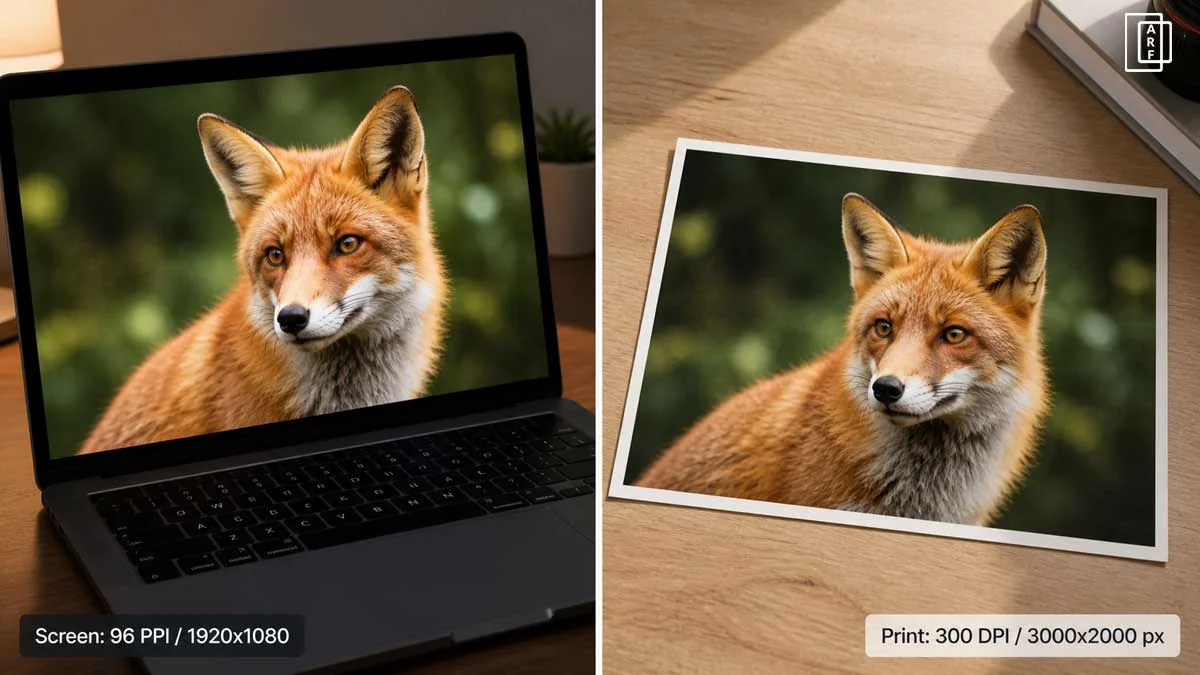
DPI (dots per inch) and resolution measure different things. Resolution is the pixel count of a digital image, a fixed number baked into the file. DPI is the density at which those pixels are printed onto paper, a screen, or another physical surface.
The same 3000x2000 pixel image can be printed at 300 DPI (producing a sharp 10x6.67 inch print) or at 150 DPI (producing a blurry 20x13.33 inch print). The digital file did not change, only the print density changed. Resolution determines how many pixels exist; DPI determines how large each pixel appears in print.
| Term | What it measures | When it matters | Common standard |
|---|---|---|---|
| Resolution | Total pixels (W x H) | Always, digital and print | 1920x1080, 3840x2160 |
| DPI | Print dot density | Print only | 300 DPI (photo print) |
| PPI | Screen pixel density | Screen display quality | 72-96 PPI (web), 300+ PPI (Retina) |
For screen use, DPI settings in your image editor are irrelevant, browsers and apps ignore the DPI metadata and display each pixel as one screen pixel. Only set DPI when you are preparing a file for print.
What is the difference between megapixels and resolution?
Megapixels (MP) and resolution both describe pixel count, but at different levels of precision. Resolution gives the exact pixel dimensions: 6000x4000. Megapixels give a rounded total: 24 MP (6000 x 4000 = 24,000,000 pixels). One megapixel equals one million pixels.
Camera manufacturers use megapixels because a single number is easier to compare in marketing. Editors and platform managers use pixel dimensions because exact width and height determine aspect ratio, crop potential, and print size.
A 24 MP camera might produce 6000x4000 images (3:2), while another 24 MP camera might produce 5488x4392 images (a different aspect ratio entirely). Same megapixel count, different resolution, different aspect ratio. This is why understanding resolution precisely, not just in megapixels, matters when you are planning crops or platform exports.
What is native resolution and why does it matter?
Native resolution is the exact pixel count a display is designed to show: one image pixel per screen pixel, with no scaling. A screen with a native resolution of 1920x1080 displays a 1920x1080 image perfectly. Scale down and images look sharp but smaller; scale up and the screen interpolates (guesses) pixel values, which softens the image.
For video production, matching your export resolution to the viewer's likely screen native resolution matters. Most monitors and streaming setups are 1080p native. Content exported at 4K is downscaled for 1080p viewers, losing nothing visually, while gaining an advantage on 4K screens and retaining quality after YouTube's compression.
What aspect ratio and resolution should I use for video?
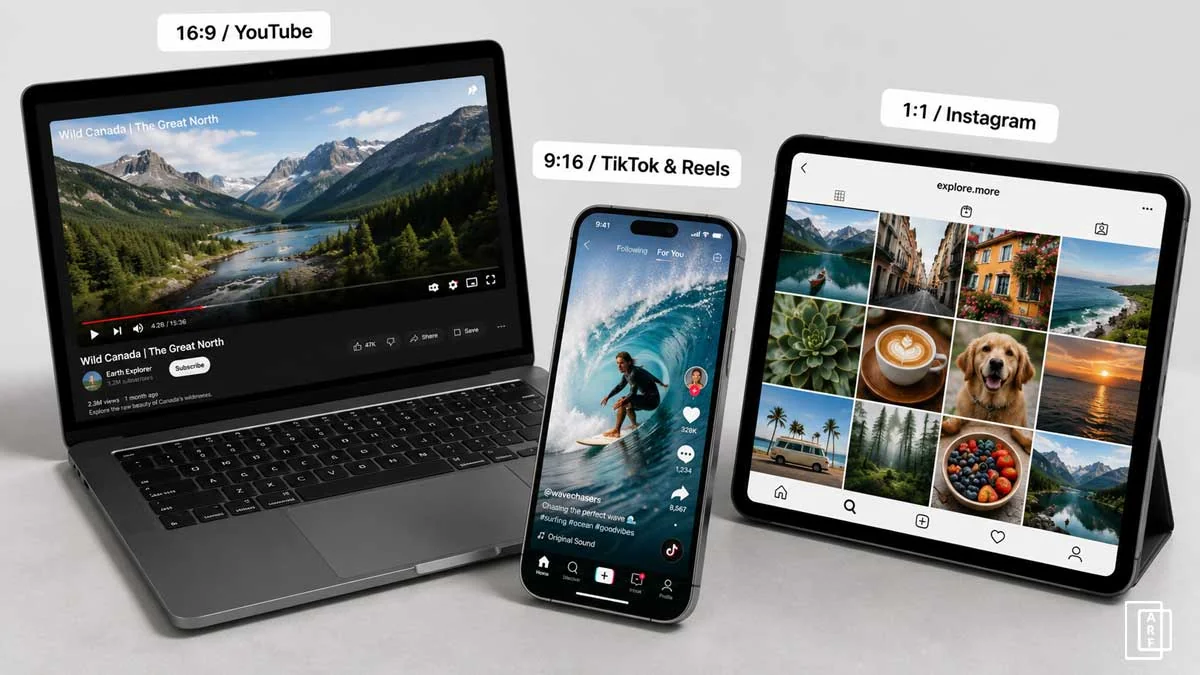
For most video content, use 16:9 aspect ratio at 1080p (1920x1080) as your baseline. This matches the native resolution of most monitors, televisions, and the default player size on YouTube and most streaming platforms. [1] Upgrade to 4K (3840x2160) if your camera supports it and your subject benefits from the added detail.
The YouTube aspect ratio guide covers YouTube-specific settings in detail. For TikTok, Instagram Reels, and YouTube Shorts, use 9:16 at 1080x1920. [2][3]
| Platform | Aspect Ratio | Recommended Resolution | Notes |
|---|---|---|---|
| YouTube (standard) | 16:9 | 1920x1080 or 3840x2160 | 1080p minimum for HD badge |
| YouTube Shorts | 9:16 | 1080x1920 | Under 60 seconds |
| TikTok | 9:16 | 1080x1920 | Also accepts 1:1 |
| Instagram Reels | 9:16 | 1080x1920 | Safe zone: keep text away from top/bottom 14% |
| Instagram Feed (video) | 4:5 or 1:1 | 1080x1350 or 1080x1080 | 4:5 maximises feed space |
| Vimeo | 16:9 | 1920x1080 or 3840x2160 | Supports up to 8K |
Use the Instagram aspect ratio guide for full specifications on all Instagram formats. [3]
What aspect ratio and resolution should I use for photography?
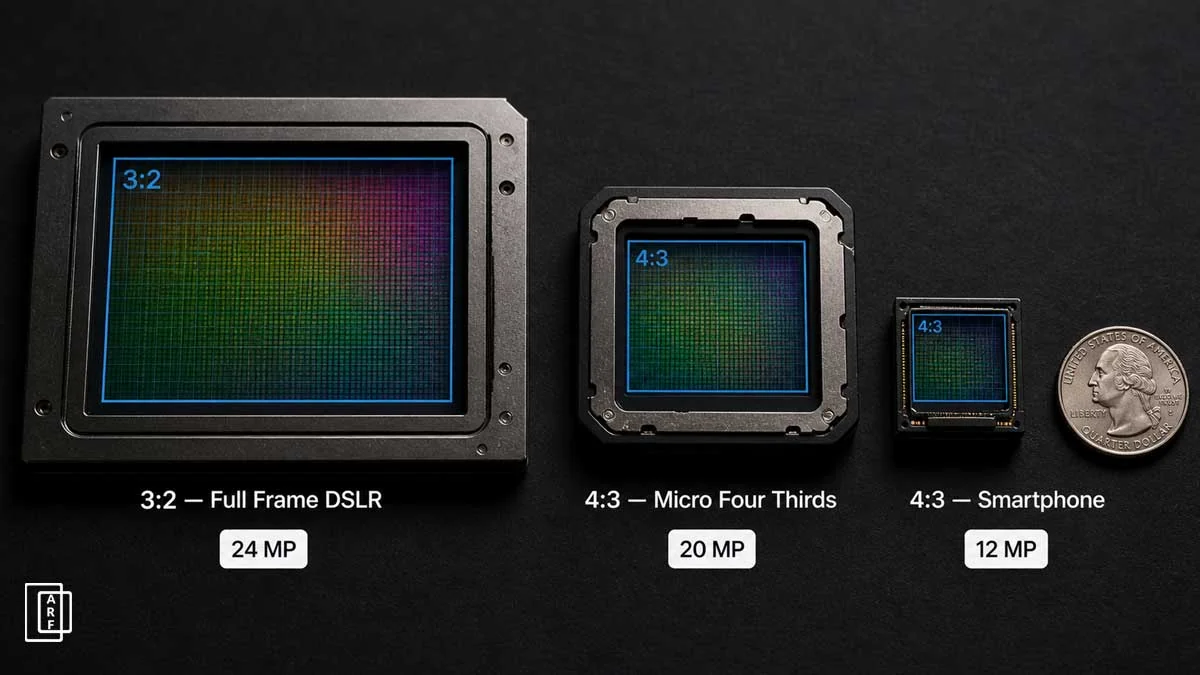
For photography, the right aspect ratio depends on your camera sensor and your intended output. Most DSLRs and mirrorless cameras shoot at 3:2, producing images like 6000x4000 or 7952x5304. This ratio suits prints at standard photographic paper sizes (6x4, 12x8) and can be cropped to other ratios with resolution to spare.
| Camera Type | Sensor Aspect Ratio | Common Resolution | Example Model |
|---|---|---|---|
| DSLR / Mirrorless | 3:2 | 6000x4000 (24 MP) | Canon EOS R6 |
| Micro Four Thirds | 4:3 | 4608x3456 (16 MP) | Olympus OM-5 |
| Medium Format | 4:3 | 8272x6200 (51 MP) | Fujifilm GFX 50S II |
| Smartphone | 4:3 (default) | Varies widely | iPhone 15 Pro |
For Instagram, shoot at your camera's native ratio and crop in post. A 24 MP 3:2 image has enough pixels to crop to 4:5 (1080x1350 export) with plenty left over.
What aspect ratio and resolution do I need for printing?
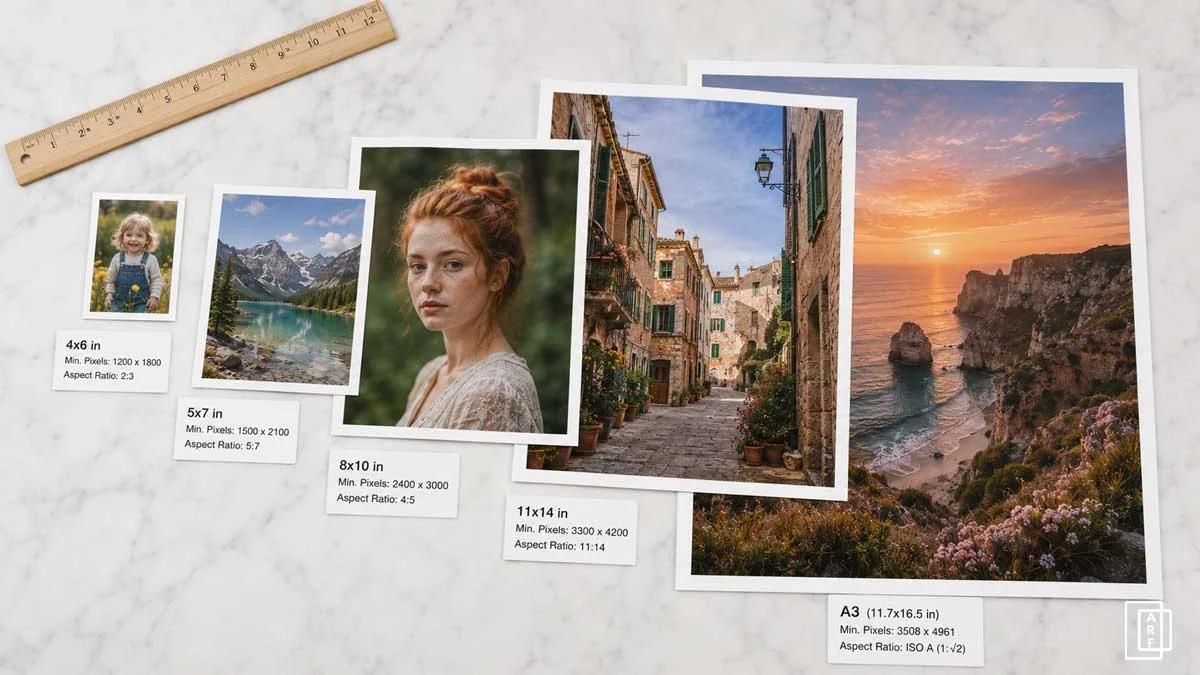
For print, the rule is simple: 300 DPI at your intended print size is the target. To find how many pixels you need, multiply each dimension in inches by 300.
| Print Size | Aspect Ratio | Minimum Pixels at 300 DPI |
|---|---|---|
| 4 x 6 in | 3:2 | 1200 x 1800 px |
| 5 x 7 in | 5:7 | 1500 x 2100 px |
| 8 x 10 in | 4:5 | 2400 x 3000 px |
| 11 x 14 in | 11:14 | 3300 x 4200 px |
| A3 (11.7 x 16.5 in) | ~1:1.41 | 3510 x 4950 px |
Print aspect ratios and photographic sensor aspect ratios often do not align. A 3:2 sensor image printed on 8x10 paper (4:5) will need either a crop or white borders. Always check the aspect ratio of your print size against your image before ordering, as the aspect ratio calculator shows the exact crop dimensions instantly.
What happens when aspect ratio and resolution don't match?
When the aspect ratio of your content does not match the aspect ratio of the frame it is displayed in, one of four things happens automatically: letterboxing, pillarboxing, cropping, or stretching. None of these is ideal, and most can be avoided with preparation.
| Problem | Cause | Fix |
|---|---|---|
| Black bars top and bottom | Content is wider than the frame (letterboxing) | Export at the platform's required aspect ratio |
| Black bars left and right | Content is taller than the frame (pillarboxing) | Export at the platform's required aspect ratio |
| Edges of content cut off | Platform is cropping to fit its frame | Reframe composition within safe zone before export |
| Image appears stretched or squashed | Player is forcing content to fill frame without cropping | Match export aspect ratio to player aspect ratio exactly |
The fix in almost every case is the same: export at the exact pixel dimensions the platform specifies. Platforms publish these numbers, and an aspect ratio calculator converts any ratio to exact pixel dimensions in seconds.
Frequently asked questions
What is the difference between aspect ratio and resolution?
Aspect ratio describes shape, the proportional relationship between width and height, such as 16:9. Resolution describes detail, the total pixel count, such as 1920x1080. Both 1280x720 and 3840x2160 are 16:9 images. They are the same shape at very different levels of detail.
Does aspect ratio affect resolution?
Aspect ratio and resolution are independent properties, but changing aspect ratio by cropping permanently removes pixels and reduces resolution. Stretching preserves pixel count but distorts the image. Adding letterbox bars changes displayed shape without affecting the original pixel count.
Can you change aspect ratio without changing resolution?
Adding letterbox or pillarbox bars changes the displayed aspect ratio without removing pixels from the original image. However, some screen space is then used for blank bars. Cropping to a new aspect ratio does remove pixels permanently.
What is the aspect ratio of 1920x1080?
1920x1080 is 16:9. Dividing both numbers by their greatest common divisor (120) gives 16 and 9. This is Full HD (1080p), the standard for YouTube, streaming, and most modern displays.
What are all the 16:9 resolutions?
Standard 16:9 resolutions: 1280x720 (720p), 1920x1080 (1080p), 2560x1440 (1440p/QHD), 3840x2160 (4K UHD), 7680x4320 (8K UHD). Any resolution where width/height equals 1.778 is 16:9.
Conclusion
Aspect ratio and resolution are two separate measurements that work together. Aspect ratio sets the shape; resolution fills that shape with pixels. Get the shape wrong and content is cropped or boxed. Get the resolution too low and images look blurry at size.
The practical takeaway: choose your aspect ratio first based on your platform, then set your resolution based on the quality you need. Use the aspect ratio calculator to convert any ratio to exact pixel dimensions, or find the right preset for YouTube, Instagram, TikTok, and every other platform without guessing.
References
1. Google, "Recommended upload encoding settings," YouTube Help Center. support.google.com/youtube/answer/1722171
2. TikTok, "Video specifications," TikTok Help Center. support.tiktok.com
3. Meta, "Instagram video formats and specifications," Meta Help Center. help.instagram.com